Imagine settling in for a cozy evening at home, only to find that your space heater remote isn’t working. You press the buttons repeatedly, but nothing happens. This frustrating situation isn’t uncommon, and it can significantly impact your comfort during cold weather. Fortunately, most issues with space heater remotes can be resolved quickly and easily.
This article will help you understand common problems with space heater remotes and provide actionable steps to troubleshoot them. You’ll also learn about the DREO Space Heater, which includes a remote and a variety of features to enhance your heating experience.

DREO
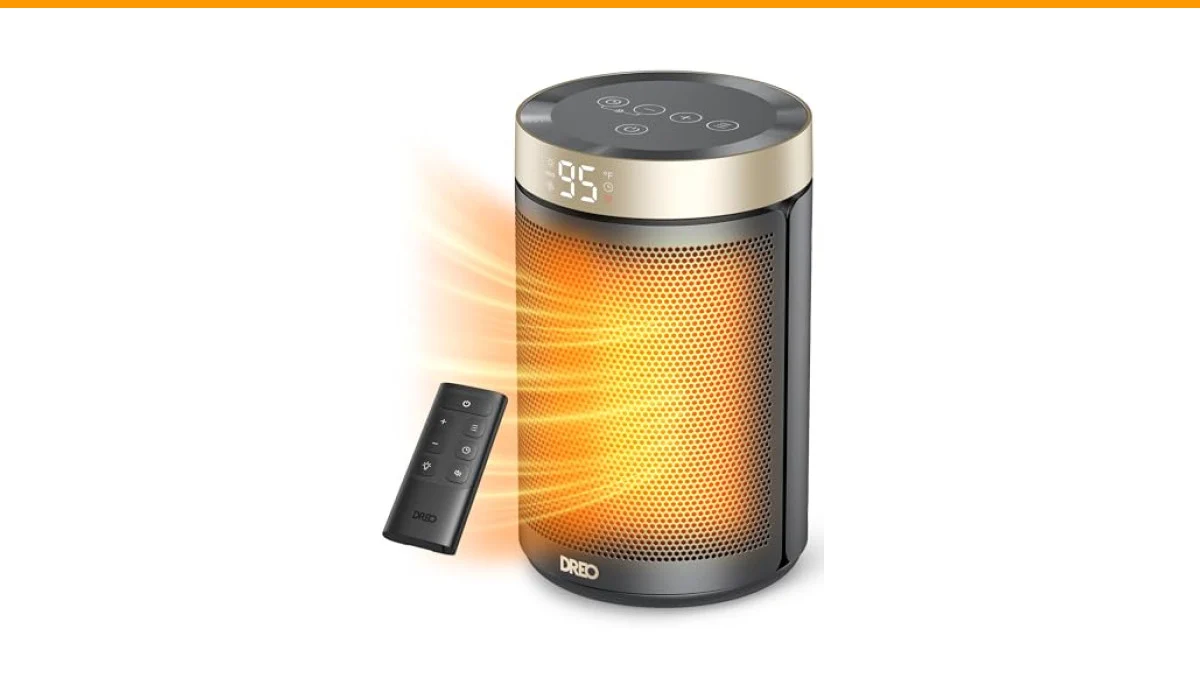
DREO Space Heater, Portable Electric Heaters for Indoor Use with Thermostat | 2026 Upgraded, 34dB Quiet, 12H Timer, 5 Mode, Remote, 1500W PTC Ceramic Fast Safety Heat for Office Bedroom Home, Gold
- Powerful heat that fits everywhere: DREO space heaters for indoor combines Hyperamics 1500W advanced PTC system with a new heat fu…
- Unbreakable safety:DREO goes beyond the unexpected to deliver peace of mind with every room heater. The innovative tilt-detection…
- Ultimate temperature control: The enhanced NTC chipset brings more precision to turn your space heater with thermostat into a smar…
The DREO Space Heater offers powerful heat and a remote control for convenient operation, making it an excellent choice for indoor heating. With precise temperature control and a focus on safety, it combines functionality with comfort.
Common Reasons Your Space Heater Remote Isn’t Working
If your space heater remote is unresponsive, it could be due to several reasons:
- Dead Batteries: The remote may simply need new batteries. Most remotes use standard AA or AAA batteries, which are easy to replace.
- Signal Interference: Physical obstructions or electronic devices may block the signal between the remote and the heater.
- Dirty Contacts: Dust and grime can accumulate on the remote’s battery contacts, preventing a proper connection.
- Electrical Issues: If the heater itself has electrical problems, the remote may not function correctly.
Step-by-Step Troubleshooting for Your Space Heater Remote
Follow these steps to diagnose and fix the issue with your space heater remote:
- Check the Batteries: Replace the batteries in the remote. Make sure they are inserted correctly, matching the positive (+) and negative (-) terminals.
- Inspect for Obstructions: Ensure there are no objects blocking the line of sight between the remote and the heater. Move any nearby electronics that could cause interference.
- Clean the Remote: Use a soft cloth to clean the battery contacts and the exterior of the remote. If necessary, use a cotton swab dipped in rubbing alcohol to clean the contacts.
- Test the Heater: If the remote still doesn’t work, try operating the heater manually. If it works manually but not via the remote, the issue is likely with the remote.
- Consult the Manual: Refer to the manufacturer’s manual for troubleshooting advice specific to your model. It may offer insights on resetting the remote or the heater.
- Contact Customer Support: If all else fails, reach out to the manufacturer’s customer service for guidance or to inquire about a replacement remote.
Comparative Analysis of Common Space Heater Remotes
| Feature | DREO Remote | Generic Remote |
|---|---|---|
| Battery Type | AA/AAA | AA/AAA |
| Range | Up to 30 ft | Up to 20 ft |
| Buttons | Temperature control, timer, modes | Limited options |
| Additional Features | Child lock, mute | None |
Frequently Asked Questions
1. Why won’t my space heater remote work even after changing the batteries?
If the remote still doesn’t work after replacing the batteries, check for obstructions and clean the contacts. It may also be worth testing the heater manually.
2. Can I use my space heater without the remote?
Yes, most space heaters have manual controls. You can still operate the heater without the remote.
3. How do I reset my space heater remote?
Refer to the user manual for specific instructions on resetting your remote. Generally, removing the batteries for a few minutes may reset it.
4. What should I do if the remote is damaged?
If the remote is physically damaged, you might need to purchase a replacement. Contact the manufacturer for compatible options.
5. Are there universal remotes for space heaters?
Some universal remotes might work, but compatibility varies by model. Always check the specifications before purchasing a universal remote.
Essential Takeaways for Space Heater Remote Issues
- Test new batteries to ensure the remote is powered.
- Clear any obstructions that might block the signal.
- Regularly clean your remote to prevent contact issues.
- Refer to the manual for specific troubleshooting advice.
- Contact customer support if the issue persists.
- Consider the DREO Space Heater for advanced features and convenience.
- Keep a spare set of batteries handy for quick replacements.